


Show controller comparison
S-PLAY: an alternative to Pharos for architectural light shows
S-PLAY is a standalone show controller that records a live Art-Net or sACN show straight onto the unit and plays it back on its own schedule, up to 32 universes, with no computer on site. It is an alternative to a Pharos controller for permanent installs such as bridges, facades and public spaces.
Updated . Every value comes from a published page.


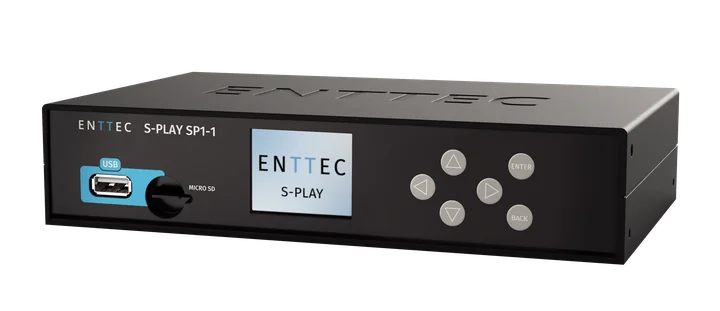

32 universes of Art-Net or sACN from one SP1-1, more with Multi-Sync

10 h of show recorded on the SP1-1 itself, 32 universes at 40 fps
How does S-PLAY compare with a Pharos controller?
S-PLAY records the show on the controller and is programmed in a browser on the unit. The SP1-1 and LITE offer remote access through an ENTTEC account. Pharos LPC leads on built-in pixel and video mapping and protocol breadth. It captures shows with a separate desktop app and needs a paid Site Plan for Cloud control. In short: pick S-PLAY to record a show onto the controller and run it with no PC on site. Pick Pharos if the controller itself must pixel-map or play video, speak KiNET, MIDI or LTC, or drive more than 32 universes from one box.
Pharos values checked on
| Feature | S-PLAY Mini | S-PLAY LITE | S-PLAY SP1-1 | Pharos Express Control (XPC) | Pharos LPC 1 / 2 / 4 | Pharos LPC X S3 |
|---|---|---|---|---|---|---|
| Records a live Art-Net or sACN show on the controller | Yes4 universes | Yes16 universes | Yes32 universes | No | NoSeparate desktop app, 16 universes, 30 min per capture | NoSeparate desktop app, 16 universes, 30 min per capture |
| Programming on the controller | YesBuild the whole show in any web browser | YesBuild the whole show in any web browser | YesBuild the whole show in any web browser | NoWeb page for status and scenes only | NoWeb page for status and triggers only | NoWeb page for status and triggers only |
| Remote access service | No | YesThrough an ENTTEC account | YesThrough an ENTTEC account | NoCloud control needs a paid Site Plan after a 3-month trial | NoCloud control needs a paid Site Plan | NoCloud control needs a paid Site Plan |
| Relay outputs on the unit | Yes1 | Yes2 | Yes2 | Yes2 | No | No |
| DMX ports on the unit | Yes1 | Yes2 | Yes2 | Yes2 | Yes2 | No |
| Power over Ethernet | No | Yes | Yes | Yes | Yes | NoMains powered |
| Programming on a PC or Mac | No | YesS-PLAY Programmer | YesS-PLAY Programmer | YesExpress software | YesDesigner 2 | YesDesigner 2 |
| Syncs several controllers together | Yes | Yes | Yes | NoOne controller per project | Yes | Yes |
| Sunrise and sunset scheduling | No | Yes | Yes | Yes | Yes | Yes |
| Shows (playlists or timelines) | 16 playlists | 100 playlists | 200 playlists | Within 500 scenes | 1,000 timelines | 1,000 timelines |
| Cues or scenes | 32 cues | 100 cues | 200 cues | 500 scenes | 1,000 scenes | 1,000 scenes |
| Triggers | 16 | 150 | 200 | 1,000 interactions | 1,024 | 1,024 |
| Price | Price on request | Price on request | Price on request | Not published by Pharos | Not published by Pharos | Not published by Pharos |
Notes
- Pharos figures for shows, cues and triggers are project limits from its Designer and Express help. An Express project has one controller; for the LPC, Pharos publishes no per-controller limit.
- For the smallest jobs, the S-PLAY Nano plays 1 DMX universe.
03
Can S-PLAY run a building with nobody on site?
Yes. The S-PLAY SP1-1 and LITE run the show to their own schedule, with no one on site.
-
Date and time
Shows by date, time and repetition
-
Sunrise and sunset
Follows both, with offsets, on NTP time
-
Remote access
Through an ENTTEC account


The S-PLAY SP1-1 and LITE schedule shows by date, time and repetition, follow sunrise and sunset with offsets, and keep time over NTP. A second schedule can stop everything. You reach the site remotely through an ENTTEC account.
04
Can I record a show from my console or pixel-mapping software?
Yes. S-PLAY records the live show straight onto the controller.
-
Art-Net, sACN or DMX in
Recorded straight into cues
-
About 10 h on board
32 universes at 40 fps on the SP1-1
-
No computer left behind
Plays back without the PC it was made on


S-PLAY records live Art-Net, sACN or DMX straight into cues, so a show programmed in ELM, MADRIX or a console plays back without that computer. The SP1-1 holds about 10 hours of 32 universes at 40 fps. Pharos builds shows in Designer 2 and captures shows from other software with a separate desktop app, DMX Record: 16 universes, 30 minutes per capture.
05
How does S-PLAY connect to building systems?
S-PLAY connects through contact closures, relays, serial and network control.
-
4 contact inputs, 2 relays
For buttons and building systems
-
RS232, OSC and UDP
For AV control
-
HTTP API and TwinCAT
For integrators, plus the I/O Extender


The S-PLAY SP1-1 takes 4 contact inputs and drives 2 relays for buttons and building systems. It accepts RS232, OSC and UDP for AV control, and offers an HTTP API and a TwinCAT library for integrators. The I/O Extender adds more inputs, and custom touch interfaces give staff simple controls.
What replaces the rest of a Pharos system?
ENTTEC has a match for the show software, the controller, the outputs and the fixtures. For wall controls, S-PLAY has no dedicated panel like the Pharos TPS touch screen or BPS button station: its custom interfaces run in any web browser, such as a tablet on the wall, and its contact inputs take ordinary buttons.
Content and programming
Designer 2
Free show software for Windows and macOS. Shows from other software go through a separate app, DMX Record, 30 min at a time.
S-PLAY Programmer
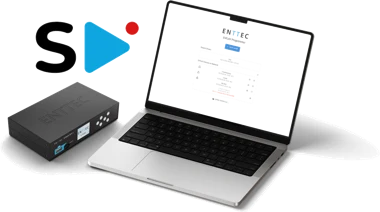
Free show software for Windows and macOS. Shows from other software record straight onto the S-PLAY.
View S-PLAY Programmer
Show controller
LPC, LPC X
1 to 100 universes. The LPC has 8 inputs built in; the LPC X needs RIO units for inputs and relays.
S-PLAY
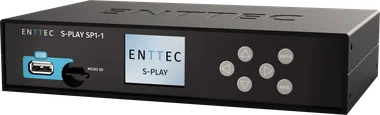
Mini, LITE, SP1-1: 4 to 32 universes, inputs and relays built in. Records the show on board.
View the S-PLAY range
Output to fixtures
EDN, RIO G4
Pharos output nodes for DMX and RDM; pixel tape needs separate SDI units.
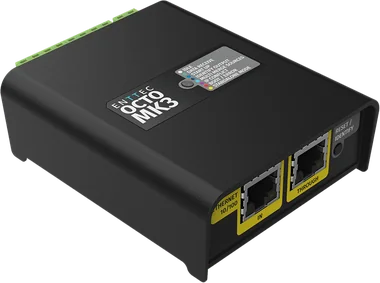
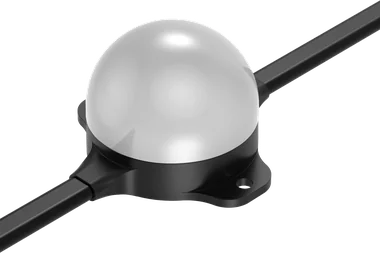
STORM 10, OCTO MK3
STORM 10 for DMX and RDM, OCTO MK3 for pixels.
View STORM 10 View OCTO MK3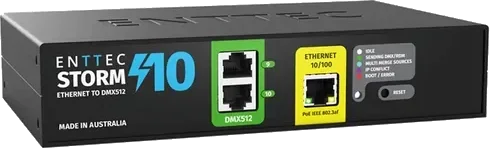
Fixtures
None
Fixtures sourced from others.
Should I choose S-PLAY or Pharos?
S-PLAY is the better choice when
- You want to record a live show straight onto the controller: hours of it, not 30 minutes at a time
- You program in ELM, MADRIX or a console and want playback without that computer
- You want up to 32 universes and 2 DMX ports in one box, and Multi-Sync to add more units
- You want remote access to the site through your ENTTEC account

Pharos is the better choice when
- The controller itself must pixel-map or play video, or take a live HDMI feed (an LPC X option)
- The spec calls for KiNET, MIDI or LTC timecode, or for Lua scripting
- One controller must output more than 32 universes (the LPC X goes up to 100)
- The spec needs DALI built in (Pharos Express Control drives up to 64 DALI devices)
Choosing pixel-mapping software as well? See how ELM compares with other pixel mappers.
Where is S-PLAY running today?
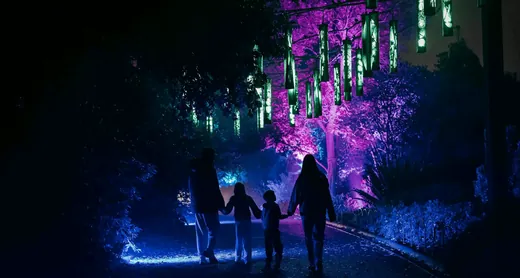 Wilderness Within
Read the project
Questions buyers ask
Does S-PLAY need a computer to run a show?
No. You program in the on-device web interface or the free S-PLAY Programmer, and S-PLAY stores and plays the show on the controller. No computer stays on site.
Can S-PLAY play back a show made in MADRIX or ELM?
Yes. S-PLAY records live Art-Net, sACN or DMX straight into cues, so a show programmed in ELM, MADRIX or a console plays back without that computer.
How many universes does S-PLAY control?
Up to 32 universes of Art-Net or sACN on the S-PLAY SP1-1 and 16 on the S-PLAY LITE. For smaller jobs, the S-PLAY Mini handles 4 universes and the Nano 1. Every model except the Nano can sync with other S-PLAYs on the same network, so several units play one show together.
Does S-PLAY follow sunrise and sunset?
Yes, the S-PLAY SP1-1 and LITE do. They schedule shows by date, time and repetition, follow sunrise and sunset with offsets, and keep time over NTP.
Can I control S-PLAY remotely?
Yes, the S-PLAY SP1-1 and LITE. Link the S-PLAY to your ENTTEC account in My Account and it gets its own secure web address. It needs firmware 3.3.0 or later.
Which S-PLAY model should I choose?
Choose by the number of universes the show needs. The S-PLAY SP1-1 plays up to 32, the LITE up to 16, the Mini 4 and the Nano 1. The SP1-1 and LITE share the same scheduling, inputs and programming software; the Mini and Nano have no scheduler. Compare all four models side by side.